THE EDITORIAL ASSESSMENT
What this buying decision really involves
A gaming desktop budget is best understood as a set of competing priorities: graphics capability, processor platform, quality of supporting components and the possibility of future upgrades. The least expensive computer on a marketplace is not necessarily the least expensive one to own when cooling, power supply limitations and replacement parts are considered.
The retailer configurations below are snapshots rather than lab-tested recommendations. They demonstrate the decisions buyers face at this price tier, but individual seller terms, component substitutions and total delivered costs require verification. The analysis therefore starts with platform and ownership trade-offs before turning to recorded product examples.
AT A GLANCE
Specification and listing comparison
| Example | Advertised configuration | Condition | Listed price* |
|---|---|---|---|
| HP OMEN 16L | Core i5-14400F · RTX 5060 Ti · 16GB DDR5 · 1TB SSD | Good - Refurbished | $999.00 |
| ASUS ROG Strix GA15DK | Ryzen 7 5800X · RTX 3070 · 16GB RAM · 1TB SSD | Used | $659.00 |
| Custom Ryzen 7 desktop | Ryzen 7 5800X · RTX 5060 · 32GB RAM · 1TB SSD | New | $598.88 |
*Dated catalog snapshots. Seller inventory, configuration, shipping charges and final checkout pricing can change.
BUYING INTELLIGENCE
How to evaluate a desktop under $1,000
Verify the exact processor and graphics card
Do not judge a computer by the RTX model alone. Check processor generation, motherboard platform, GPU VRAM and power requirements. An older Ryzen 7 or Intel Core system can still be useful at an appropriate price, but its features and upgrade path differ from a newer platform.
Treat unusually inexpensive offers cautiously
Some listings combine an RTX 5060 label with a low total price. Confirm whether the pictured system, GPU, RAM, SSD and operating system are actually included for that price—not selectable upgrades or promotional wording.
Budget for the components you do not see
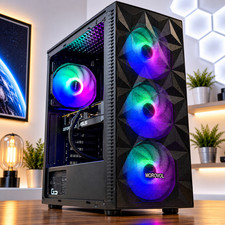
Cooling, PSU quality, case clearance and motherboard connectors affect long-term ownership. A parts list and actual-unit photos are more informative than LED lighting or a broad claim of being gaming-ready.
Compare condition and return rights
New, used and refurbished listings need separate expectations. Before purchasing, check the return window, shipping charge, included power cable, warranty and any repair or cosmetic history.
EDITORIAL BUYING ANALYSIS
The trade-offs that decide value below $1,000
A cheaper GPU can be more expensive to own
A low-priced desktop becomes a poor value if the graphics card cannot meet the games and display resolution you actually use. Compare the installed GPU, its memory capacity and its power requirements against the cost of replacing it. Ask whether the included power supply has the appropriate connectors and headroom; upgrading a proprietary supply or cramped case can erase the apparent savings. A refurbished computer with a clearly specified GPU and warranty may be preferable to a vague new listing.
Platform age changes the upgrade calculation
An older Core i7 or Ryzen 7 name does not identify a modern processor. Compare the exact model generation, memory type, motherboard socket and storage connections. Before paying more for an old premium CPU, check whether a newer midrange system offers a clearer upgrade path. A platform that cannot accept useful CPU upgrades may still be sensible for a fixed-budget 1080p computer, but it should be priced accordingly.
The final delivered price is the real budget
Compare the total after shipping, taxes, a potentially necessary Wi-Fi adapter, additional storage and any missing accessories. Check the warranty provider and return shipping responsibility. If the seller lists multiple configurations under one product page, confirm the selected options at checkout rather than relying on the headline or product photo.
DATED MARKETPLACE CASE STUDIES
Recorded configurations and the trade-offs they illustrate
These are actual cached marketplace listing examples observed October 2, 2026, not independently tested machines or guaranteed stock. Their different advertised conditions matter as much as the price. Open the GameRigAdvisor product details first, then verify the seller’s offer and exact configuration before purchasing.

Refurbished current-generation option
HP OMEN 16L
Core i5-14400F · RTX 5060 Ti · 16GB DDR5 · 1TB SSD
This advertised HP configuration is worth examining against the price ceiling, but the seller lists it as Good – Refurbished. Confirm its exact GPU and VRAM variant, cooling, warranty and condition before ordering.
Listing condition: Good - Refurbished. Good – Refurbished; product condition and contents are essential to its price comparison.
Historical configuration example. The referenced seller listing is not in the current validated feed; compare current offers before buying.

Lower-priced used alternative
ASUS ROG Strix GA15DK
Ryzen 7 5800X · RTX 3070 · 16GB RAM · 1TB SSD
The used RTX 3070 example illustrates a different balance of purchase price and platform age. It should not be compared to the RTX 5060 Ti as though both have the same features, power consumption or warranty coverage.
Listing condition: Used. Used system; ask about component wear, power supply and return rights.
Historical configuration example. The referenced seller listing is not in the current validated feed; compare current offers before buying.

Advertised low-price RTX 5060 configuration
Custom Ryzen 7 desktop
Ryzen 7 5800X · RTX 5060 · 32GB RAM · 1TB SSD
This listing advertises substantial hardware for the price, making independent seller verification especially important. Check that the illustrated computer, GPU, memory and SSD match the actual selected configuration and final checkout amount.
Listing condition: New. Marked New by the marketplace; verify seller reliability, graphics-card identity and what is included.
Historical configuration example. The referenced seller listing is not in the current validated feed; compare current offers before buying.
The GPU and platform must be gaming-capable
At this budget, verify that a listing has a discrete graphics card suitable for the games and display you own. Refurbished office computers can have excellent CPUs and plenty of RAM without adequate graphics hardware. Confirm GPU model, power supply capacity, physical case clearance, motherboard connectivity and whether proprietary connectors limit upgrades. The term gaming in a seller title is not independent evidence of gaming performance.
What a balanced budget specification looks like
Identify the expected graphics bottleneck first. If your main titles are competitive games at 1080p, prioritize reliable frame times, adequate cooling and a functional high-refresh output. For visually demanding new games, review representative GPU benchmarks before committing. Sixteen gigabytes can remain workable with modest background load, whereas 32GB offers extra headroom when the price difference is small. The SSD should have sufficient space for the actual game library, not just the operating system.
Prebuilt warranty and upgrade risks
Check the seller support period, refurbished condition, storage health and included Windows license. Verify that the PSU is a documented model with appropriate connections; avoid assuming a wattage number guarantees safe upgrade compatibility. Compare the complete delivered configuration with the cost of replacing weak parts immediately. Use system memory research and current recorded offers before selecting a retailer.