Affiliate Disclosure: GameRigAdvisor may earn a commission from qualifying purchases made through the product links on this page. This does not increase the price you pay.
Quick Picks: Best Gaming Laptops Over $2,000
| Pick | Laptop | Best For | Price |
|---|---|---|---|
| Best Overall | ASUS ROG Strix Scar 16 | The definitive flagship without major compromises | Check Price |
| Best Performance | MSI Titan 18 HX | Maximum raw GPU and CPU power | Check Price |
| Best Display | Razer Blade 16 | Dual-mode Mini-LED display quality | Check Price |
| Best Portability | ASUS ROG Zephyrus G16 | Flagship performance in a thin, light chassis | Check Price |
| Best Value | Lenovo Legion 7i | Premium-tier performance at a saner price | Check Price |
Best Overall: ASUS ROG Strix Scar 16
ASUS ROG Strix Scar 16
Best for: Buyers who want a definitive flagship gaming laptop with few compromises
ASUS ROG Strix Scar 16 is ASUS's flagship 16-inch gaming machine, pairing the top mobile RTX 40/50-series GPUs with a high-refresh QHD Mini-LED display and a full vapor-chamber cooling solution. Configurations in this tier typically include 32GB+ DDR5 RAM, dual NVMe SSDs, and premium CNC-machined details.
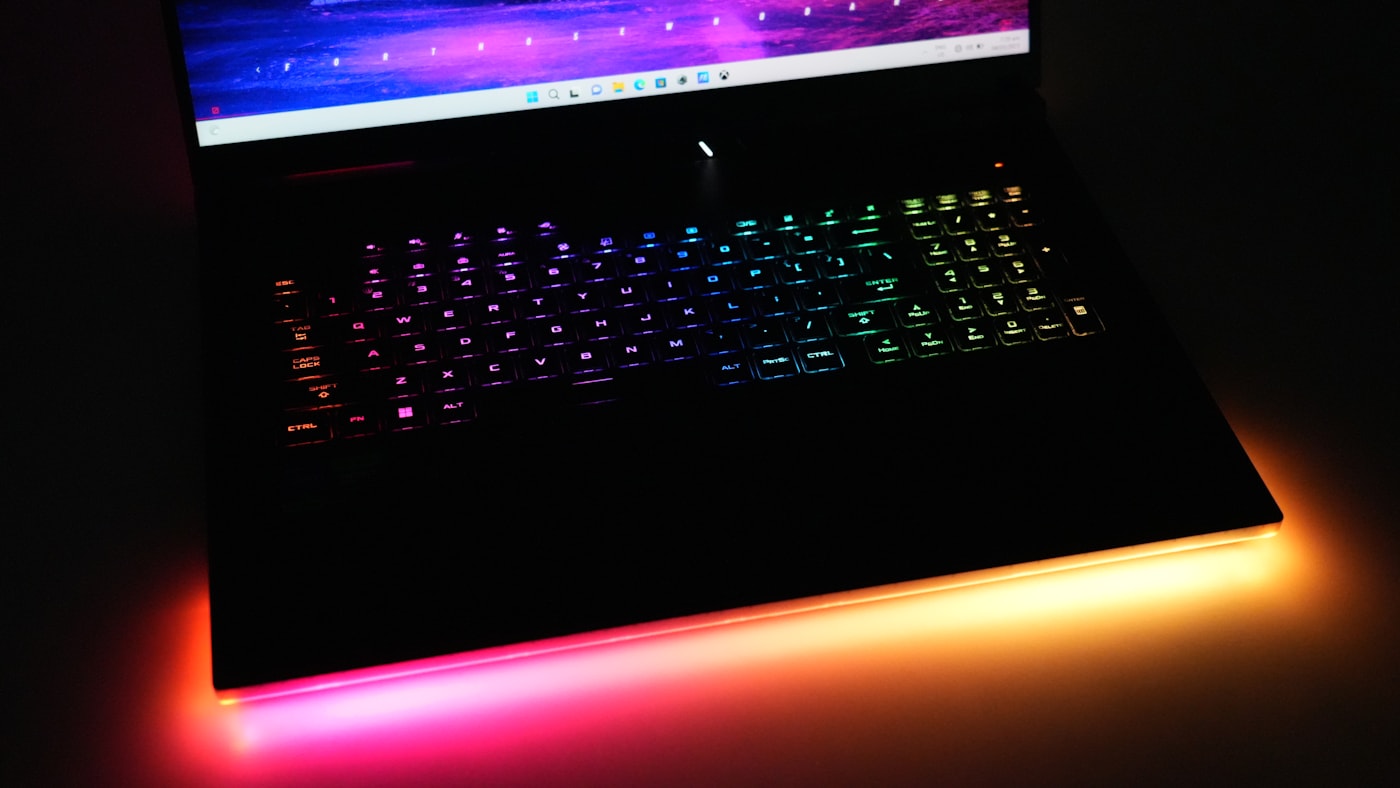
Check Price on AmazonOn the Strix Scar 16, ASUS tunes GPU wattage toward the high end of its class, which translates into more sustained frame rates during long sessions. The per-key RGB keyboard, punchy speakers, and clean silhouette make it a head-turner that still fits on a desk without being aggressive about it.
Why it stands out
- Top-tier GPU options with high GPU wattage
- Gorgeous QHD Mini-LED display with high refresh rate
- Vapor-chamber cooling for sustained performance
- Premium build with excellent upgradeability (dual NVMe slots, upgradeable RAM)
Who should buy it?
Buy the ASUS ROG Strix Scar 16 if you want a flagship that balances raw power, display quality, and day-to-day usability.
Best Performance: MSI Titan 18 HX
MSI Titan 18 HX
Best for: Gamers and creators who refuse to compromise on raw performance
MSI Titan 18 HX is MSI's desktop-replacement flagship. It packs the most powerful mobile GPUs available, a massive 18-inch 4K Mini-LED display option, and an unusually thorough cooling system. In the $2,000+ tier, it is the machine buyers look to when frame rates and render times come first.
Check Price on AmazonThe Titan is heavy, loud under load, and unapologetically massive. That is the point: its oversized chassis and vapor-chamber-plus-heatpipe design let top-tier GPUs run closer to their full power envelope, and the dual NVMe slots and 32GB+ DDR5 keep upgrade headroom open for years.
Why it stands out
- Highest-end GPU options available in a laptop
- 18-inch 4K display with high refresh rate
- Aggressive thermal design for sustained peak performance
- Full-size mechanical-style keyboard and deep port selection
Who should buy it?
Buy the MSI Titan 18 HX if you want a desktop replacement with maximum power and do not mind trading portability for performance.
Best Display: Razer Blade 16
Razer Blade 16
Best for: Buyers who want the best panel in a premium, portable chassis
Razer Blade 16 pairs flagship mobile GPUs with an exceptional dual-mode display that can shift between 4K at high refresh and a lower-resolution mode at extreme refresh rates. Its aluminum CNC unibody and vapor-chamber cooling make it one of the best-built laptops at any price.
Check Price on AmazonWhen display quality is the priority, the Blade 16's Mini-LED panel delivers high brightness, wide color coverage, and dual refresh modes that are hard to beat. It also stays on the slimmer side of the $2,000+ class, so it doubles as a professional laptop without much compromise.
Why it stands out
- Dual-mode Mini-LED display: 4K for detail, high refresh for esports
- Premium aluminum CNC unibody
- Excellent build and trackpad quality
- Vapor-chamber cooling in a thin frame
Who should buy it?
Buy the Razer Blade 16 if display quality and premium build matter more than raw GPU wattage.
Best Portability: ASUS ROG Zephyrus G16
ASUS ROG Zephyrus G16
Best for: Buyers who want top-tier performance in a thin, light, aluminum chassis
ASUS ROG Zephyrus G16 is ASUS's premium thin-and-light flagship. In the $2,000+ tier it commonly ships with top mobile GPUs, an OLED or high-refresh panel, 32GB DDR5 RAM, and CNC-machined aluminum. It is among the most portable ways to carry flagship-class gaming performance.
Check Price on AmazonThe trade-off for the slim design is generally lower GPU wattage than bulkier flagships, but the Zephyrus G16 closes much of the gap with efficient tuning and a bright OLED option. For anyone who travels or moves between home and work, this is the premium-tier pick that hides flagship power in plain sight.
Why it stands out
- Thin and light CNC aluminum design
- Stunning OLED display option
- Flagship GPU class in a portable frame
- Good battery life relative to its power class
Who should buy it?
Buy the ASUS ROG Zephyrus G16 if you want flagship-level gaming in a machine you will carry daily.
Best Value: Lenovo Legion 7i
Lenovo Legion 7i
Best for: Buyers who want premium-tier performance at a saner price
Lenovo Legion 7i offers near-flagship specs at the more accessible end of the $2,000+ range. It combines a 2560x1600 high-refresh display, top mobile GPU options, a clean aluminum chassis, and strong thermals. It is the choice for buyers who want premium without the absolute top-tier markup.
Check Price on AmazonLenovo's Legion line is known for strong sustained performance and long-term build reliability. The 7i keeps that reputation while adding a brighter panel and a slim, professional profile, making it one of the best-balanced premium-tier machines you can buy.
Why it stands out
- Excellent value among premium-tier laptops
- High-quality 2560x1600 display with high refresh rate
- Reliable thermals and sustained performance
- Professional design that suits work and play
Who should buy it?
Buy the Lenovo Legion 7i if you want flagship-class capability at a more sensible premium price.
What to Look for at This Price
GPU: RTX 4080/4090 or 5090 Class
Above $2,000, the GPU should be at or near the top of the mobile stack. RTX 4080/4090-class chips remain strong in 2026, and newer RTX 50-series top-tier laptops (such as RTX 5090 configs) are also appearing in this range. Either class comfortably drives QHD at high settings and dips into 4K.
Display: QHD/4K OLED or Mini-LED
Premium laptops at this price should offer a 2.5K or 4K panel with a high refresh rate. OLED delivers deep blacks and vivid color; Mini-LED offers high brightness and, on some models, dual refresh modes. Aim for 240Hz or better on QHD panels.
RAM and Storage
32GB+ DDR5 is the sensible standard at this tier, especially for streaming, modding, or multitasking. Look for dual NVMe slots or at least a 1TB+ SSD, since modern games and large libraries fill storage quickly.
Cooling and Build
Flagship components generate serious heat. Prioritize vapor-chamber cooling and premium materials: CNC aluminum or composite chassis with good rigidity. A well-cooled laptop sustains frame rates longer and stays quieter under load.
Final Recommendation
The ASUS ROG Strix Scar 16 is the safest premium pick for most buyers. It offers the best overall blend of GPU performance, display quality, build, and everyday usability at this price.
If immortal raw performance is the priority, the MSI Titan 18 HX is the desktop replacement to beat. If display quality matters most, the Razer Blade 16 leads. Travel often? The ROG Zephyrus G16 packs flagship power into a portable aluminum frame. Want the most attainable entry into the tier? The Lenovo Legion 7i is the value pick.
Related GameRigAdvisor Guides
- Best Gaming Laptops Under $1,500
- Best Gaming Laptops Under $1,000
- OLED vs IPS Gaming Monitors
- Lenovo Legion vs ASUS ROG
- Gaming Laptop vs Desktop
Frequently Asked Questions
Is a $2,000 gaming laptop worth it in 2026?
Mostly yes, if you plan to game at QHD or 4K, stream, or keep the machine for 5+ years. In this tier you get the top mobile GPU class, premium panels, 32GB+ DDR5, and build quality that budget models simply do not offer.
What GPU should I get in a premium gaming laptop?
Target RTX 4080/4090-class or newer RTX 50-series top-tier options like the RTX 5090. The 4090/5090 class is the strongest available and gives the best headroom for QHD ultra and 4K gaming. Reserve the 4080 class if you want a better balance of price and power.
Is 4K gaming realistic on a laptop at this price?
Yes with caveats. A flagship laptop GPU handles many titles at 4K with quality settings adjusted, and newer DLSS/frame-generation tech helps a lot. For the highest refresh rates, QHD panels remain the sweet spot in this tier.
How much RAM do I need in a premium gaming laptop?
32GB DDR5 is the right target for the $2,000+ tier. It covers gaming, streaming, modding, and multitasking comfortably. Make sure the model supports RAM upgrades if you buy 32GB and want headroom later.
Is OLED or Mini-LED better for gaming?
OLED gives the best contrast and response for vivid, motion-clean gaming. Mini-LED offers higher sustained brightness and, on laptops like the Razer Blade 16, dual refresh modes. Either is a big step up from typical IPS panels in cheaper laptops.
Do I need two SSD slots in a premium laptop?
It is a strong advantage. Modern games can exceed 100GB each, and a second NVMe slot lets you add storage without replacing your main drive. Dual slots are common at this price and worth prioritizing.
How long will a $2,000+ gaming laptop last?
Expect 5-7 years with proper care. A flagship-class GPU will handle new games at high settings for 4-5 years and at medium settings for several more. The premium cooling and build also support long-term reliability.
Is a thick desktop replacement better than a thin flagship?
For pure sustained performance, yes. Thick machines like the MSI Titan 18 HX run top GPUs at higher wattage for longer. Thin flagships like the Zephyrus G16 trade some wattage for portability while still delivering flagship-class gaming.
Is it fine to use a $2,000 gaming laptop for work?
Absolutely. Models like the Razer Blade 16, ROG Zephyrus G16, and Legion 7i have clean, professional designs with superb keyboards and displays, so they pull double duty as workhorses for productivity, creative work, and gaming.
When is the best time to buy a premium gaming laptop?
Black Friday, Prime Day, and back-to-school sales offer the deepest discounts. New GPU generations also push prices down on previous flagships, which is often the best time to grab a high-end machine for less.
Is a warranty worth it for an expensive laptop?
Yes. At this price point, accelerated factory hotlines, extended coverage, and accidental damage protection are good value. Flagship laptops generate more heat and stress, so repairs are more likely and costlier over time.
Is it better to buy last year's flagship on sale?
Often, yes. A discounted previous-generation flagship with an RTX 4090-class GPU can outperform this year's mid-range models at a lower price. Just verify the display and cooling are still comparable before you commit.