Affiliate Disclosure: GameRigAdvisor may earn a commission from qualifying purchases made through the product links on this page. This does not increase the price you pay.
Quick Picks
| Pick | Mouse | Best For | Price Range |
|---|---|---|---|
| Best Overall | Logitech G Pro X Superlight 2 | Pro-grade wireless at 60g | Check Price |
| Best Wireless Value | Pulsar X2 | Esports performance for less | Check Price |
| Best Ergonomic | Razer Basilisk V3 Pro | Comfort for long sessions | Check Price |
| Best Budget | Razer Viper 8K | Fast wired sensor under $80 | Check Price |
| Best for Large Hands | Zowie EC2-CW | Proven shape, premium wireless | Check Price |
Best Overall: Logitech G Pro X Superlight 2
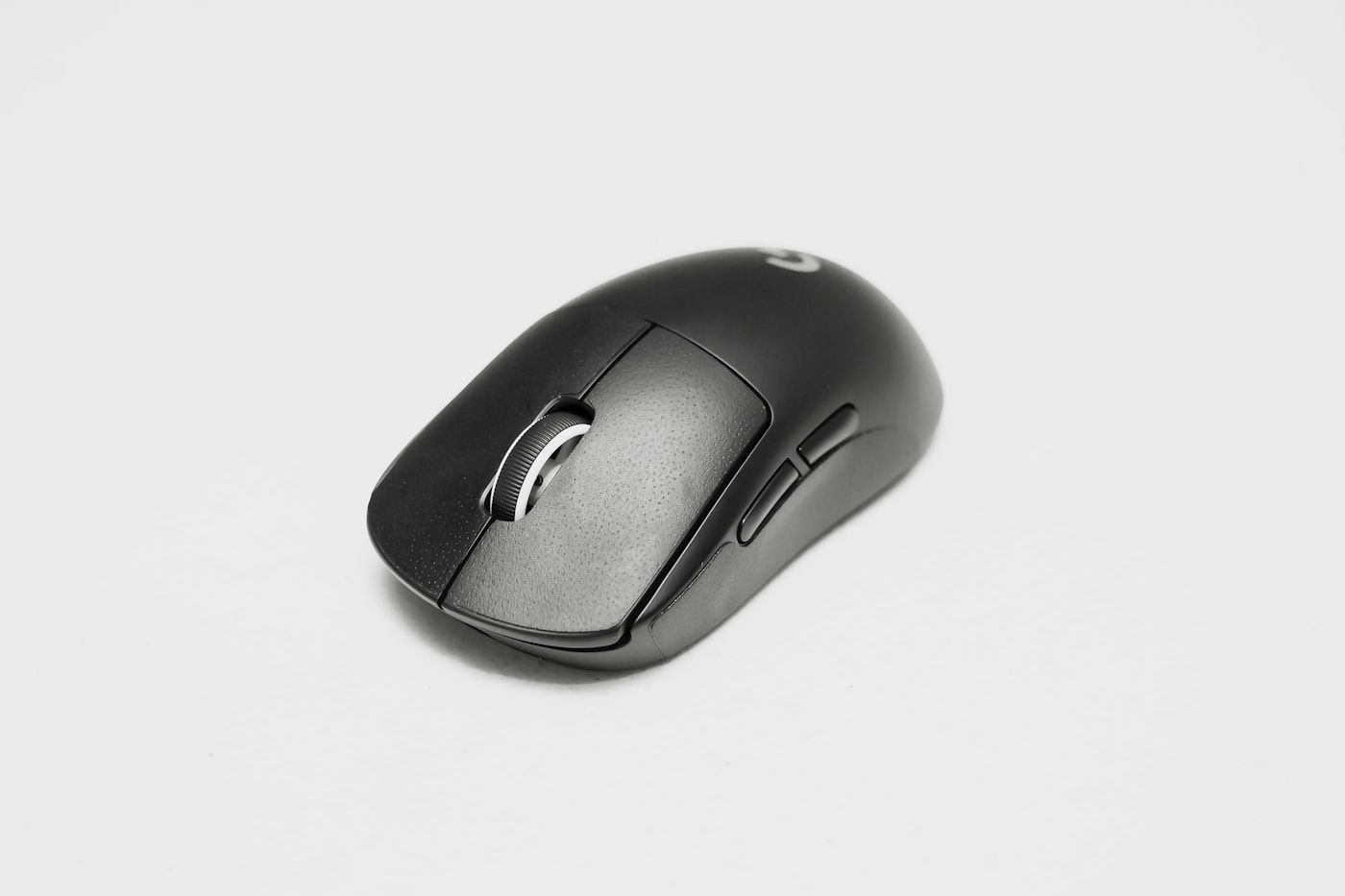
Logitech G Pro X Superlight 2
Best for: Competitive gamers who want the proven esports standard
Logitech G Pro X Superlight 2 is the mouse most professional players use. At just 60 grams with the HERO 2 sensor, 32,000 DPI and 2000 Hz polling, it balances weight, sensor accuracy and wireless reliability better than anything else. The shape is a safe medium that suits most grips.
Check Price on AmazonThe Superlight 2 is the safest premium mouse purchase in the industry. It is not flashy, but every element is tuned for consistent aim. If you play competitive shooters and want a mouse you will not outgrow, this is it.
Best Wireless Value: Pulsar X2
Pulsar X2
Best for: Esports performance without the flagship price
Pulsar X2 delivers a 57-gram wireless build with a PAW3395 sensor and 1000 Hz polling. The symmetrical shape works for claw and fingertip grips, and the lightweight design reduces fatigue during long sessions. It undercuts premium mice on price while matching their performance.
Check Price on AmazonThe X2 proves that wireless esports mice no longer require a $150+ budget. The sensor is flagship-tier and the weight is competitive with far more expensive options. For most players it offers 90% of the Superlight experience at a fraction of the cost.
Best Ergonomic: Razer Basilisk V3 Pro
Razer Basilisk V3 Pro
Best for: Comfort-focused gamers and productivity users
Razer Basilisk V3 Pro combines a contoured ergonomic shape with the Razer Focus Pro 30K optical sensor and wireless charging support. The molded thumb rest and adjustable scroll wheel resistance make it ideal for long mixed-use sessions where comfort outranks ultra-light weight.
Check Price on AmazonIf your hand aches after a few hours, the Basilisk V3 Pro is the fix. It is heavier than esports mice, but the shape supports your hand properly. It is equally at home in games and office work, which makes it a strong all-rounder.
Best Budget: Razer Viper 8K
Razer Viper 8K
Best for: Fast wired performance on a budget
Razer Viper 8K offers the 20,000 DPI Razer Focus+ sensor with up to 8000 Hz polling over its wired connection. The ambidextrous, low-profile shape suits claw and fingertip grips. A hyper-polling mouse is overkill for most, but the Viper 8K still delivers excellent latency.
Check Price on AmazonWired is still the cheapest way to get top-tier sensor performance. The Viper 8K's 8000 Hz mode matters only for a small number of high-end setups, but at normal 1000 Hz it remains a fast, reliable and light mouse that beats many pricier wireless rivals.
Best for Large Hands: Zowie EC2-CW
Zowie EC2-CW
Best for: Palm-grip players with medium to large hands
Zowie EC2-CW brings Zowie's proven EC ergonomic shape into a wireless package with a 3370 sensor and 1000 Hz polling. The right-handed contour fills the palm naturally, and the switches are rated for reliable, consistent clicks. It keeps the no-software simplicity pros appreciate.
Check Price on AmazonShape is the most personal part of a mouse, and the EC series shape is one of the most proven in esports. If you palm-grip and your hand is medium or large, the EC2-CW removes guesswork. The lack of software is a feature, not a flaw.
What to Look for in a Mouse
Weight Matters for Aim Consistency
Lighter mice (under 70 grams) are easier to move quickly and stop precisely. Heavier mice (80-100g) can feel more stable for some players but tire the arm faster. Try a range of weights if possible; the best weight is the one you can control for hours.
Sensor Accuracy Is Largely Solved
Modern flagship sensors (HERO 2, PAW3395, Focus Pro) are all excellent. Look for a sensor with no acceleration or angle snapping and 1000 Hz polling as a baseline. Unless you are at the extreme top of competitive play, sensor differences rarely decide matches.
Shape Beats Every Other Spec
A mouse that does not fit your hand cannot be fixed with better internals. Consider your grip (palm, claw or fingertip) and hand size. Ergonomic shapes support the palm; symmetrical shapes suit claw and fingertip styles.
Wireless Requires Low Latency
Choose wireless mice with a dedicated 2.4 GHz dongle and a low report rate. Bluetooth-only mice usually add latency. Battery life and charging convenience matter for daily use.
Buying Checklist
- Match the mouse shape to your grip and hand size before considering specs
- Prefer mice under 70 grams for competitive FPS play
- Require a modern sensor with 1000 Hz polling and no acceleration
- For wireless, use a low-latency 2.4 GHz dongle rather than Bluetooth
- Check click latency and switch durability for longevity
- Consider ergonomic shapes if you game or work 6+ hours daily
Frequently Asked Questions
Are expensive gaming mice worth it?
Yes for competitive players. A premium sensor, lower click latency and lighter weight improve aim consistency. For casual play, a $30-60 mouse with a decent sensor is usually enough.
Does mouse weight matter for gaming?
Yes, especially in fast FPS games. Lighter mice under 70 grams are easier to start, stop and flick accurately. Heavier mice can feel more stable but tire the arm over long sessions.
Is wireless as good as wired for gaming?
Yes, with a 2.4 GHz dongle. Modern wireless mice have the same or lower latency than wired with no cable drag. Bluetooth-only wireless can add noticeable latency and should be avoided for competitive play.
How do I choose a mouse for my grip?
Palm grip suits ergonomic, right-handed shapes. Claw and fingertip grips suit symmetrical, low-profile shapes. Measure your hand and check the mouse's recommended grip style before buying.